Printable
The Daily Hidato
Tuesday, November 24, 2026 · two puzzles
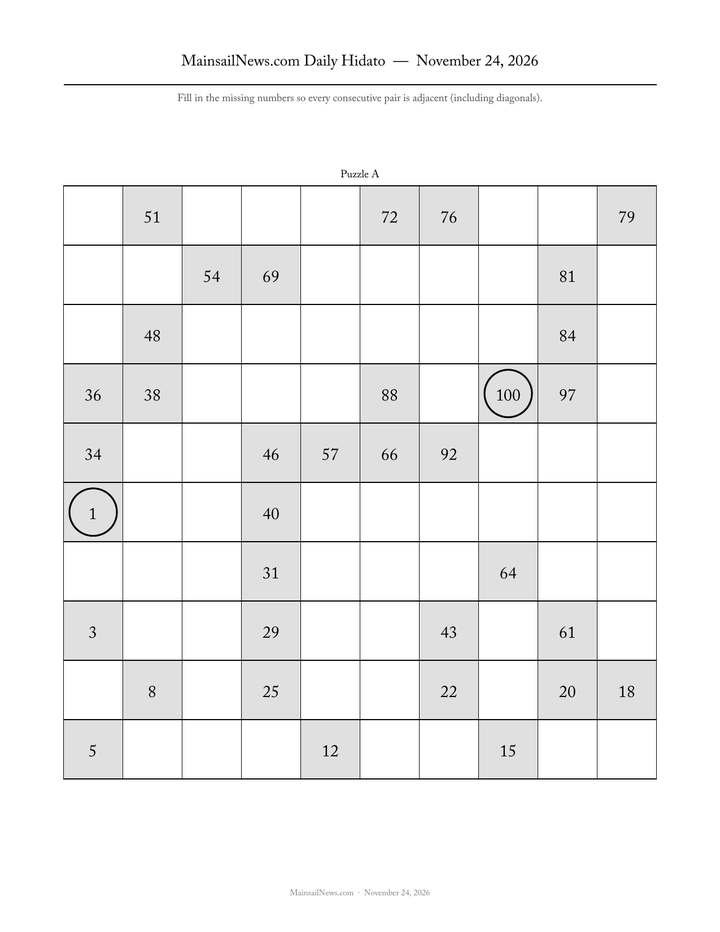
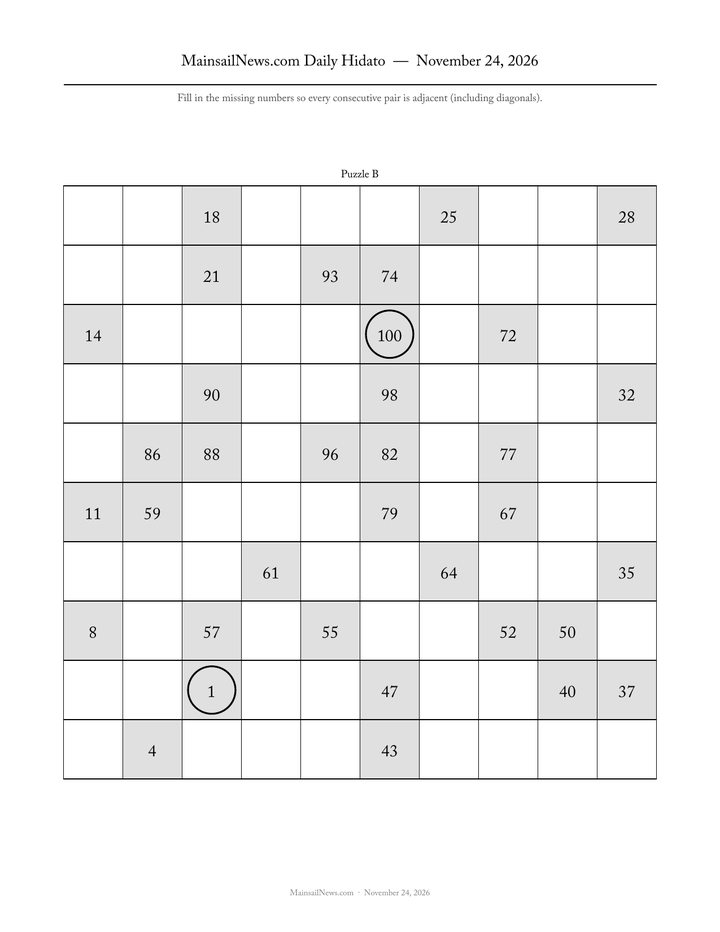
Fill in the missing numbers so each number touches the next one — up, down, sideways or diagonally — from 1 all the way to 100.
On a phone, Print opens the PDF — tap Share, then Print.
Solving on a Kindle Scribe?
- Tap Download PDF.
- Go to amazon.com/sendtokindle, sign in with the account your Scribe uses, and upload the PDF. Or email it as an attachment to your Send to Kindle address (Manage Your Content and Devices › Preferences › Personal Document Settings) from an address on your Approved Personal Document Email List.
- On your Scribe, swipe down from the top of the home screen, tap sync, then open the Hidato PDF from your Library and write right on the puzzle with the Scribe pen.